







Guide for your Universal Baller
Assembly, configurations and care for both generations of the Universal Baller. The videos are from the manufacturer, TerpChasers Club.
Guide
Which version do you have?
The Universal Baller has a new heater head. V2 and V3 are assembled differently, and their housing parts don't fit together. Choose your version to see the matching guide.
Not sure? Send us a photo looking down into the heater head and we'll tell you which version you have.
Compatibility
Don't mix V2 and V3
According to the manufacturer, the V2 lid and the V3 titanium inner chamber don't fit together. Always order housing parts to match your version. The current adapter set with the 25 mm TMJ adapter is intended for the V3 housing.
For both versions: always use exactly one disc per quartz insert, never two stacked.
Upgrading from V2 to V3
The new housing is all you need. You can keep using your V2 quartz parts in it. The Ultra High Airflow insert and disc are an optional upgrade.
Choose your version above and the matching guide appears here.
TCC Universal Baller V2
Your Universal Baller: setup and use
Quartz or titanium, with a wired or wireless heater head: configure the Universal Baller for your setup. Here is how the separate parts fit together.
Important
Four configurations
Choose your heater configuration.
Quartz and metal refer to the parts inside the heater head, not the separate herb bowl. In wireless use, the heating coil stays at the station.
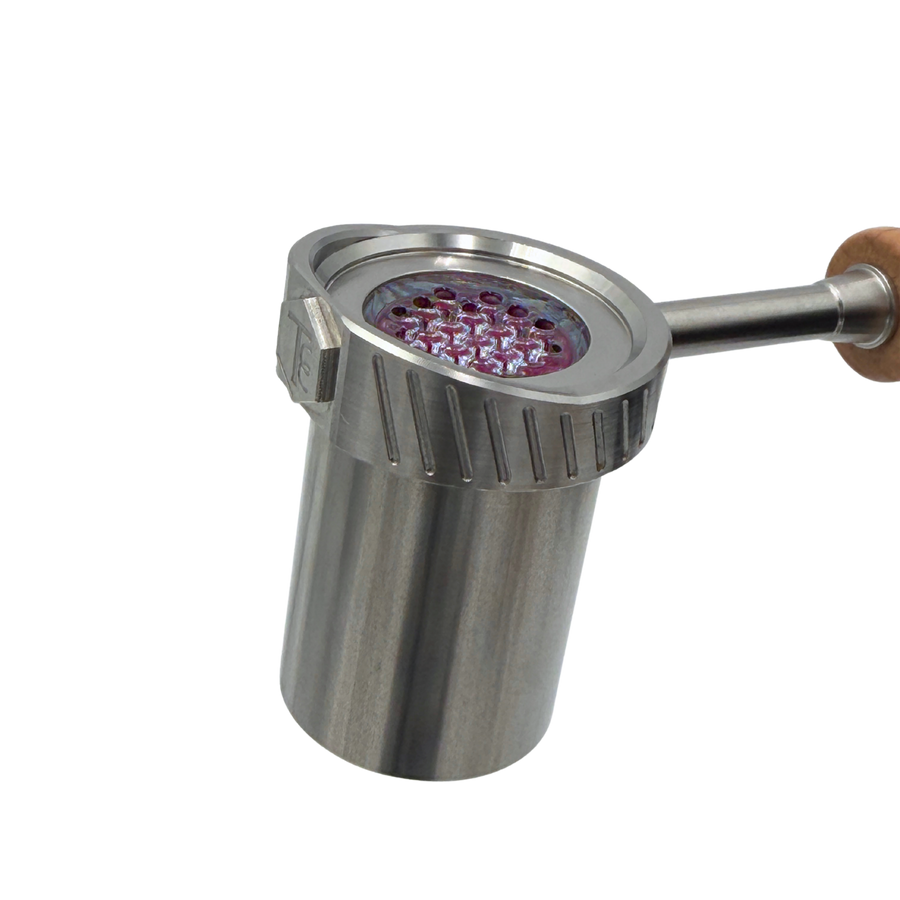
Wireless heater head
Wireless quartz
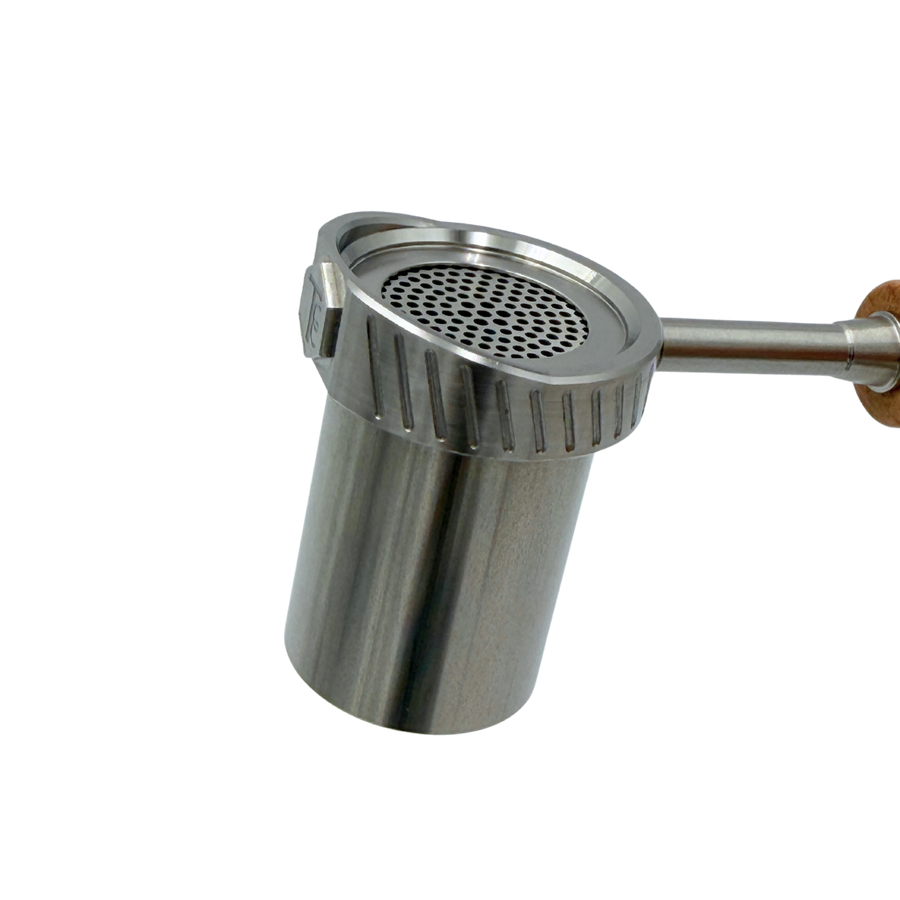
Wireless heater head
Wireless titanium
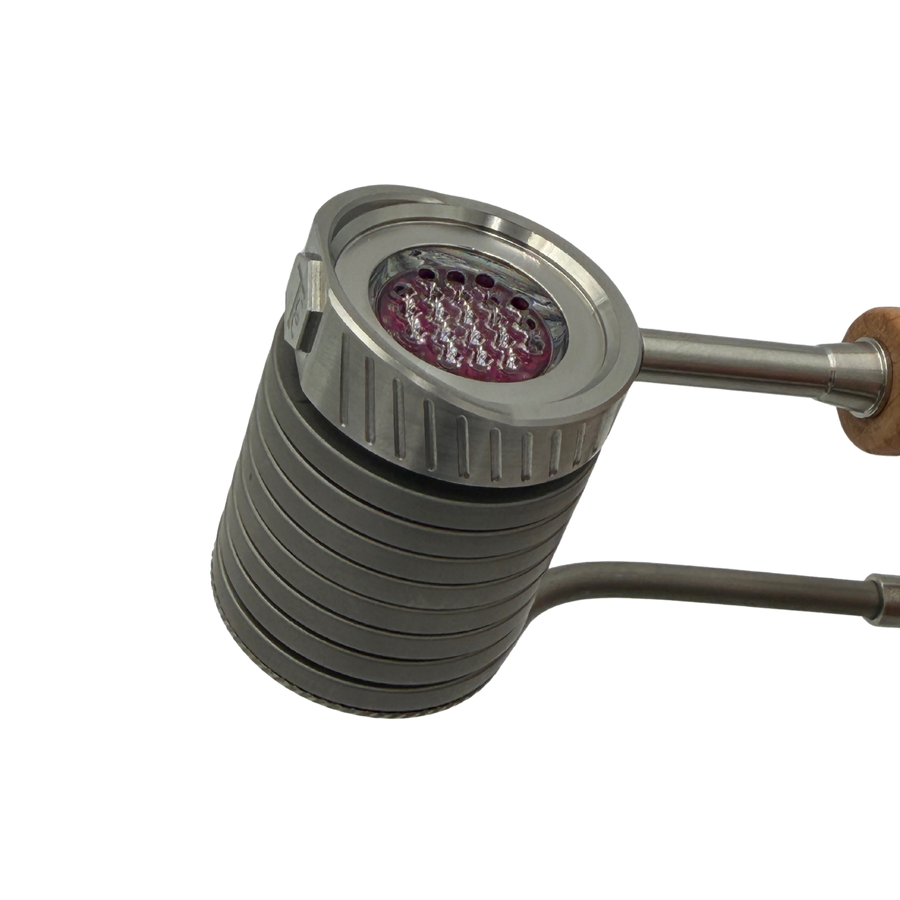
Wired heater head
Wired quartz
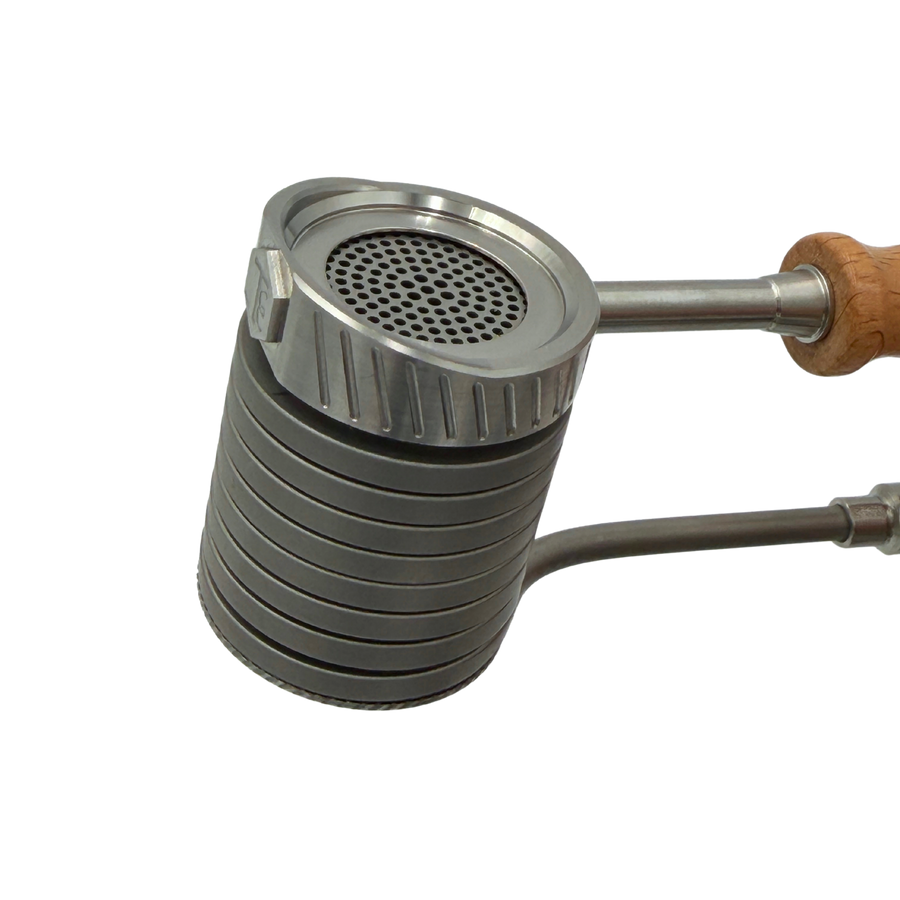
Wired heater head
Wired titanium
Before first use
Prepare the heater and bowl separately.
Check the parts supplied with your kit version first. The manufacturer videos illustrate assembly; follow the instructions for your specific parts.
1. Heater head
The quartz insert, fritted disc and ruby balls belong in the heater head. The titanium setup uses the matching screen configuration. Do not put herbs in this chamber.
2. Bowl
The hybrid bowl is a separate assembly with a glass top and matching glass joint. It holds the plant material; the heater’s quartz disc does not belong in the bowl.
3. Station
Place the station securely and use a compatible coil, PID and adapters. Check the complete assembly before switching on and follow the instructions for your version.
Changing the setup
Manufacturer setup videos.
Switch off, unplug and let everything cool fully before changing the setup. Follow the guide for your version; do not improvise if a part is stuck.
Quartz setup
Titanium setup
Wired or wireless
Temperatures
Manufacturer guide values.
TCC gives the same ranges for V2 and V3. Because of manufacturing tolerances in the quartz, each device may differ slightly.
Wireless
254–321 °C
490–610 °F
Wired
204–299 °C
400–570 °F
- A heat soak of 15–45 seconds after heating up improves performance.
- Once the ruby balls have darkened, the head is ready.
Care and disassembly
Let it cool before handling.
Before cleaning or routine disassembly, turn off the PID, unplug it and let all parts cool completely. Keep electrical components dry. Follow the manufacturer’s care instructions for quartz, glass and threads.
Is a part stuck?
Do not experiment with pliers, leverage or extra heat. Send us a photo and your exact kit version before proceeding so we can help identify the right procedure.
How it works
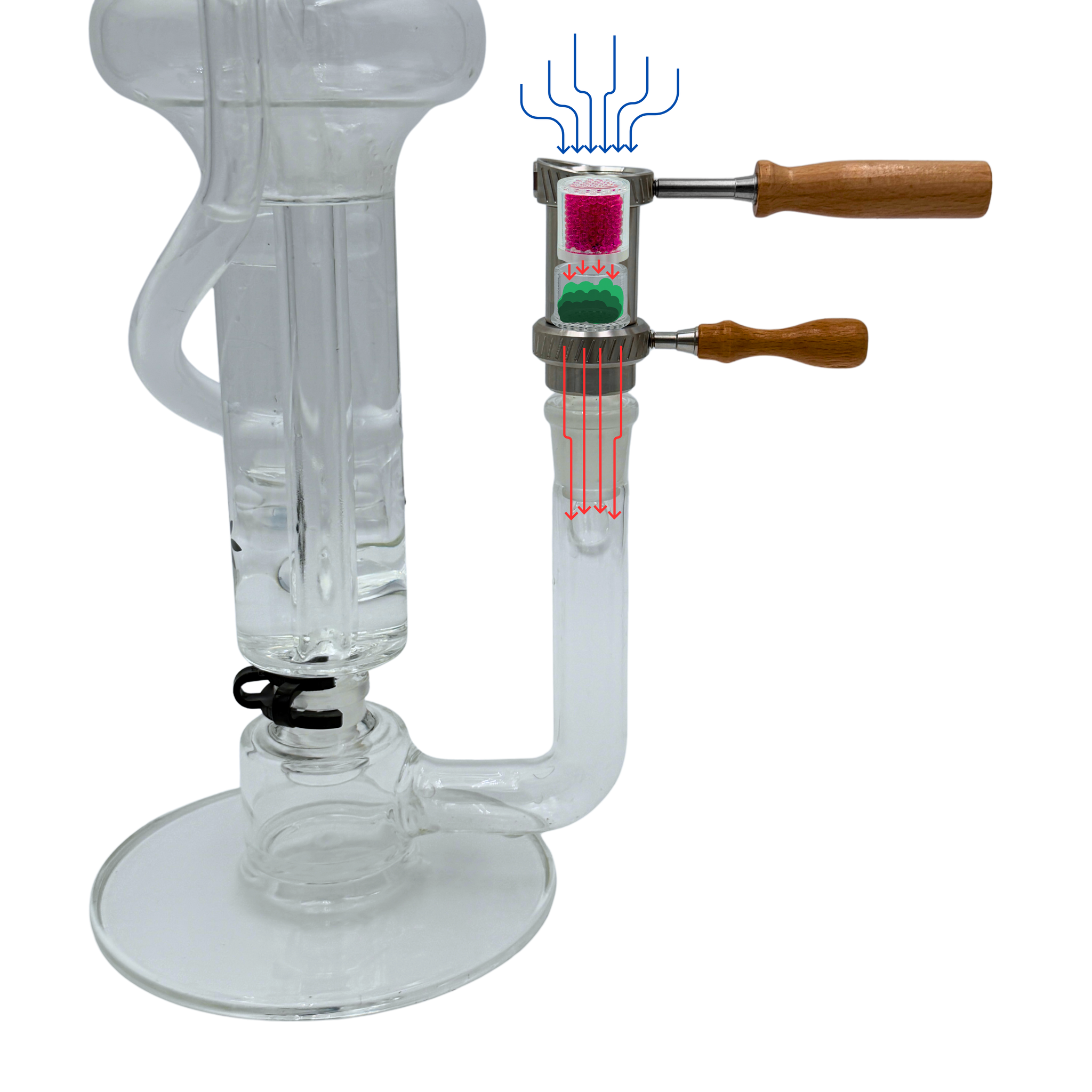
The quartz airflow path.
Air is heated by the ruby balls inside the heater, passes through the quartz disc and then through the material in the separate bowl before reaching the bubbler.
Personal support
Questions about your parts?
We can help you choose a configuration or identify replacement parts. Tell us your kit version or send a photo.
Or email info@ballvapeshop.de
TCC Universal Baller V3 · Ultra High Airflow
Your Universal Baller V3: setup and use
The current generation has a new housing and Ultra High Airflow quartz fitted as standard. The videos and steps on this page apply to V3 only.
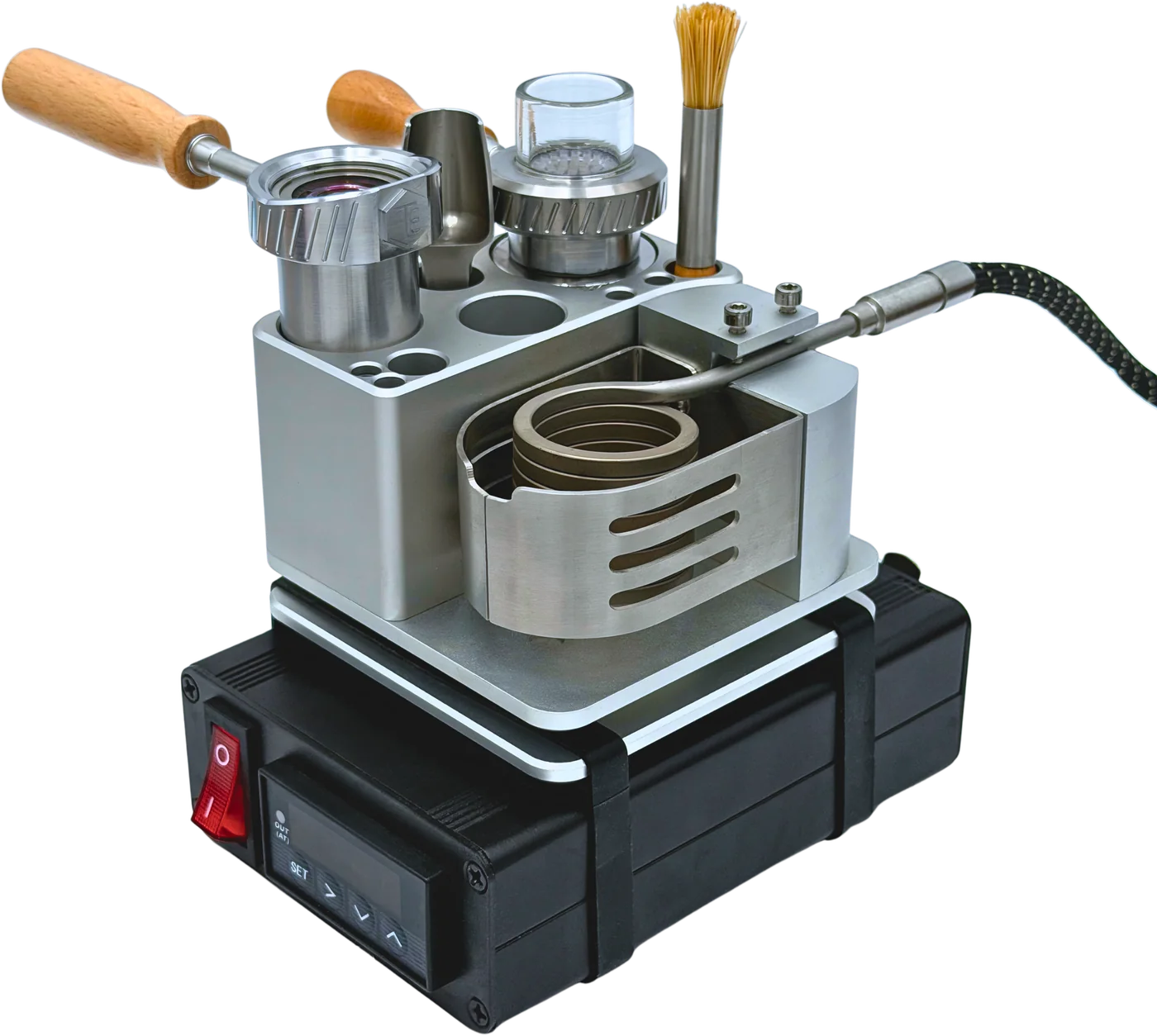
New in V3
- SS444 stainless steel housing with a grade 2 titanium inner chamber: better heat conduction, less heat expansion, lower nickel content.
- Only one set of threads. The inner chamber is secured with a spiral retaining ring.
- Heavier lid and bowl, and the handles fit better.
- Ultra High Airflow quartz insert and disc instead of the V2 quartz insert with fritted disc.
Important
Components
What's in the V3 housing.
All housing parts at a glance. The heating coil, PID controller, ruby balls, quartz and bowl are not part of the housing.
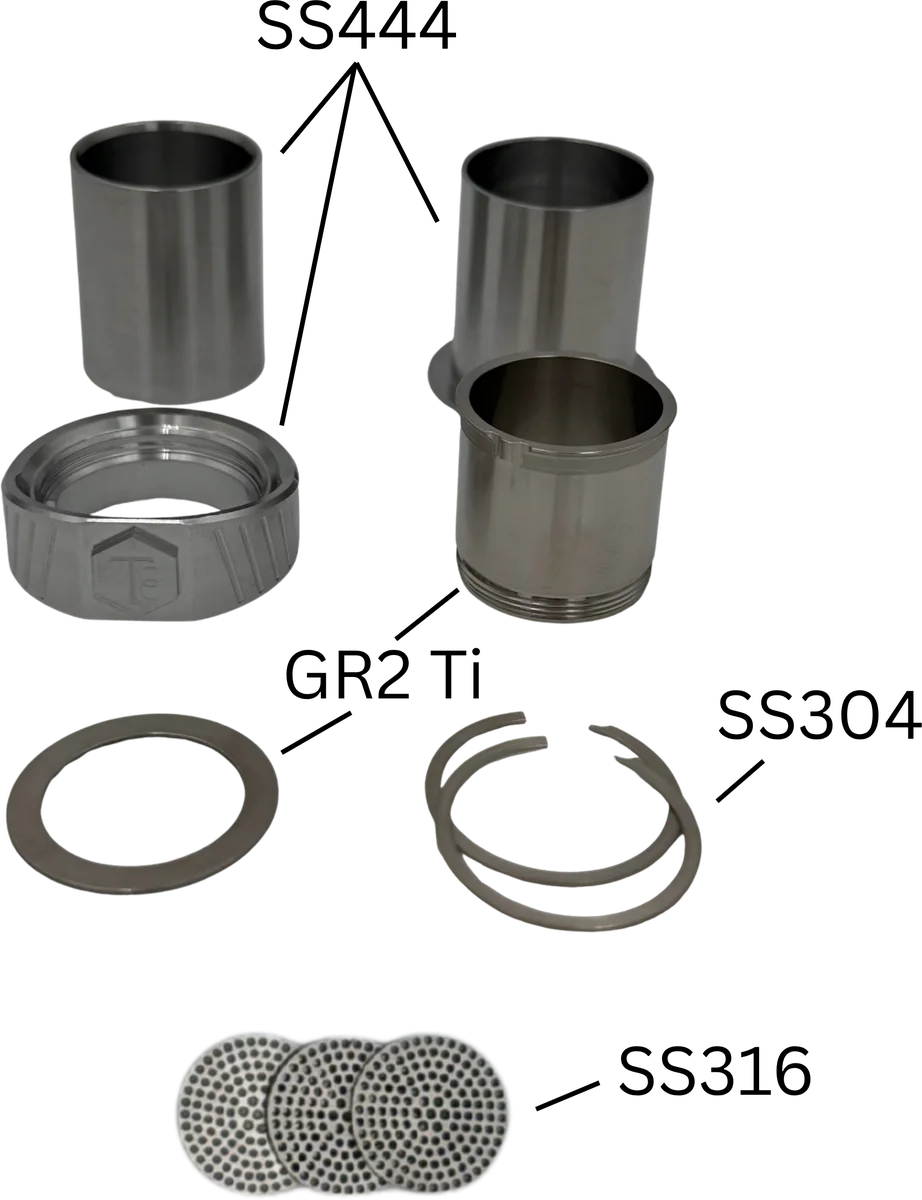
- Lid
- SS444, with the handle mount
- Wireless and wired adapters
- SS444
- Inner chamber
- Grade 2 titanium
- Flat ring
- Grade 2 titanium
- 2 spiral retaining rings
- SS304
- 3 screens
- SS316, for metal mode
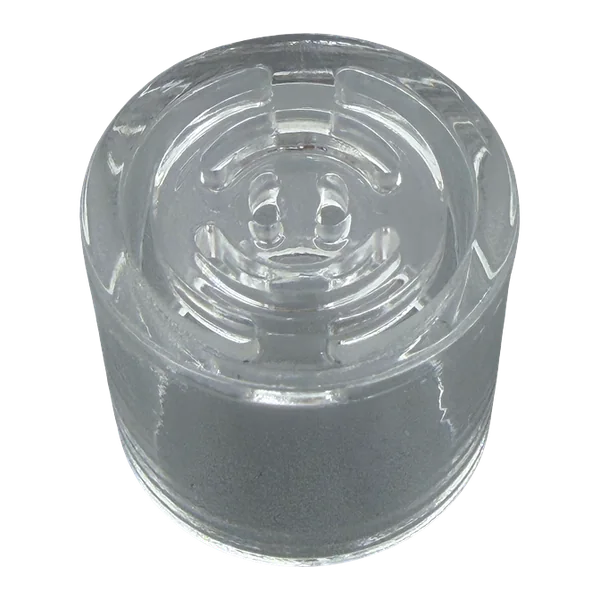
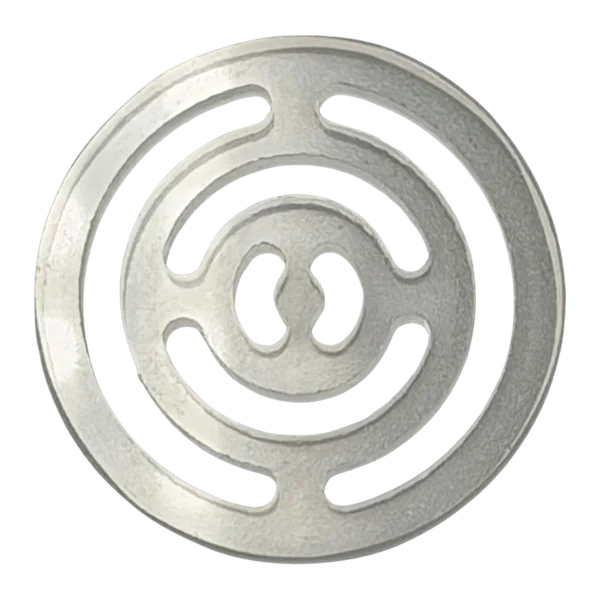
Ultra High Airflow quartz
The UHA insert holds the ruby balls, and the UHA disc with its curved slots sits on top. Only one disc is ever used.
Four configurations
Choose your heater configuration.
As with V2, there are four combinations: quartz or metal, wired or wireless. Quartz and metal refer to the parts inside the heater head, not the separate herb bowl.
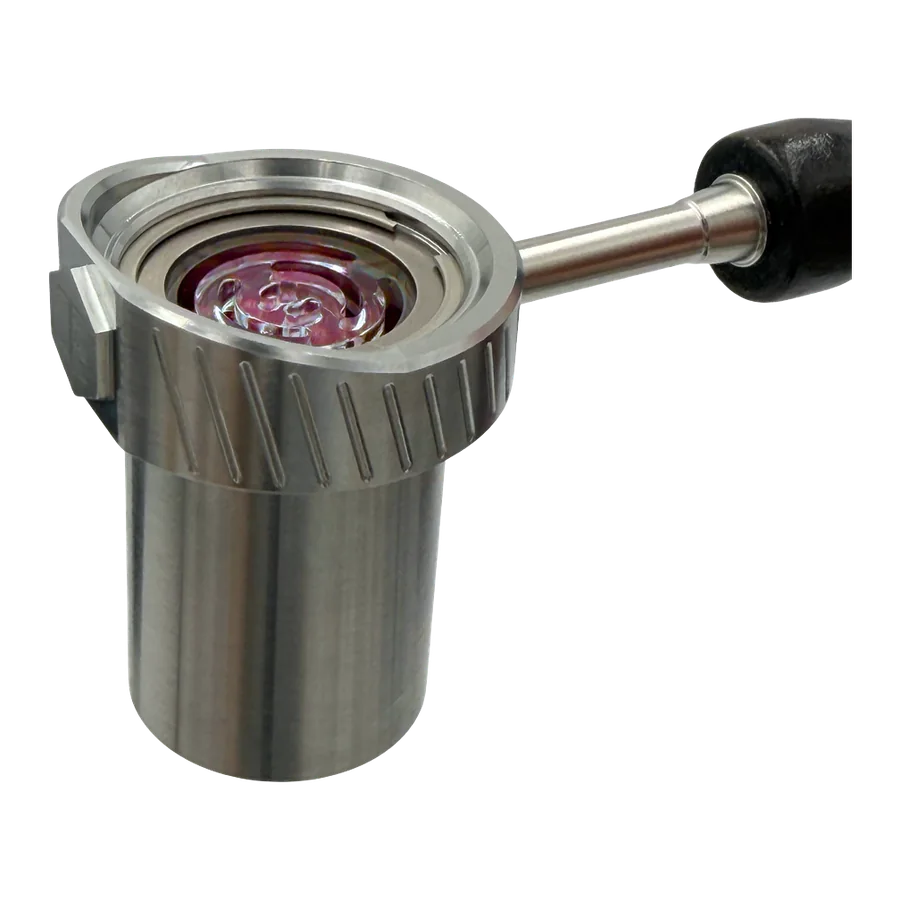
Wireless heater head
Wireless quartz
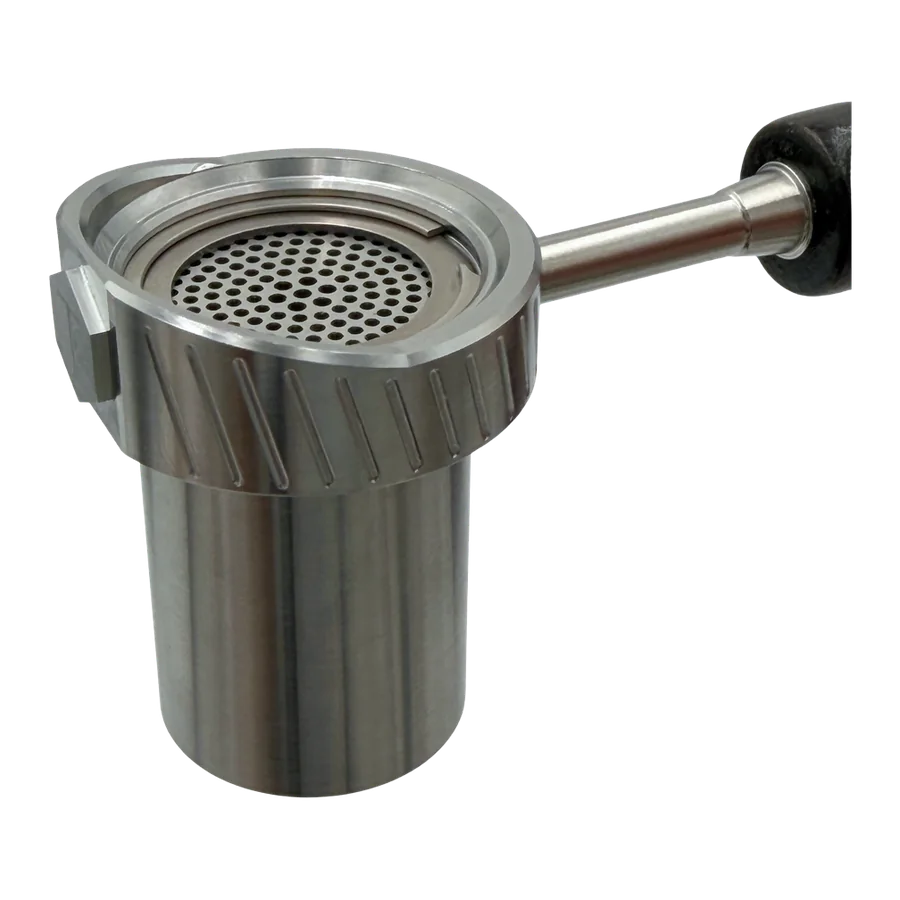
Wireless heater head
Wireless metal
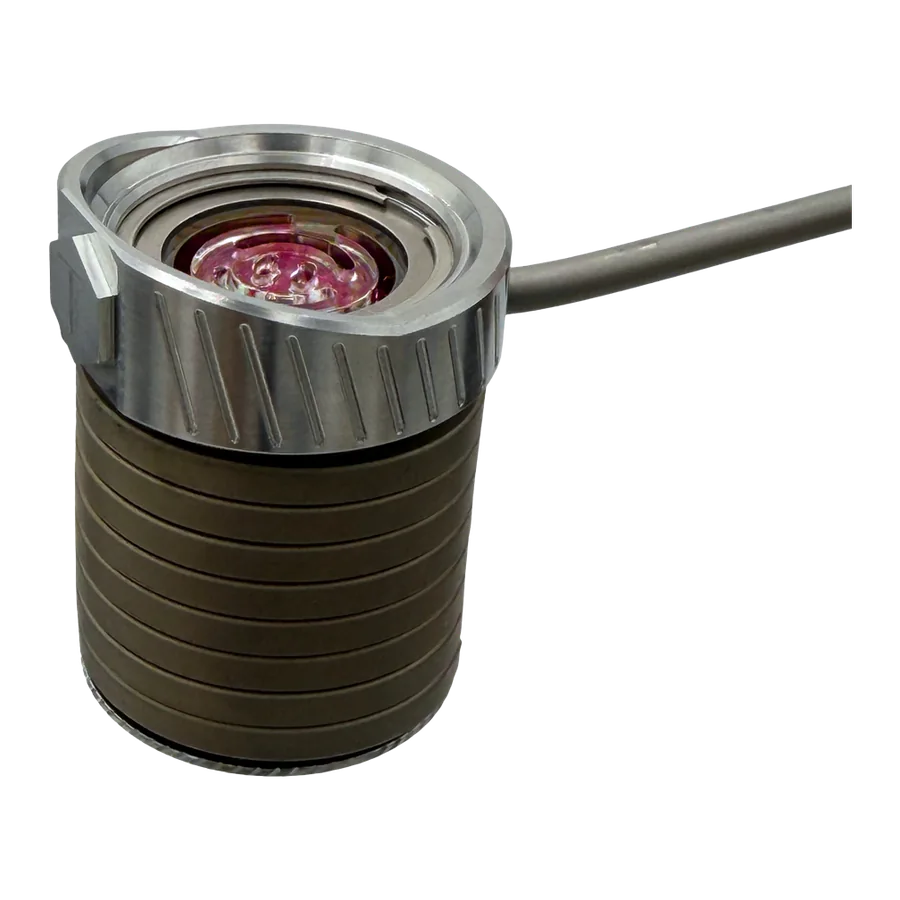
Wired heater head
Wired quartz
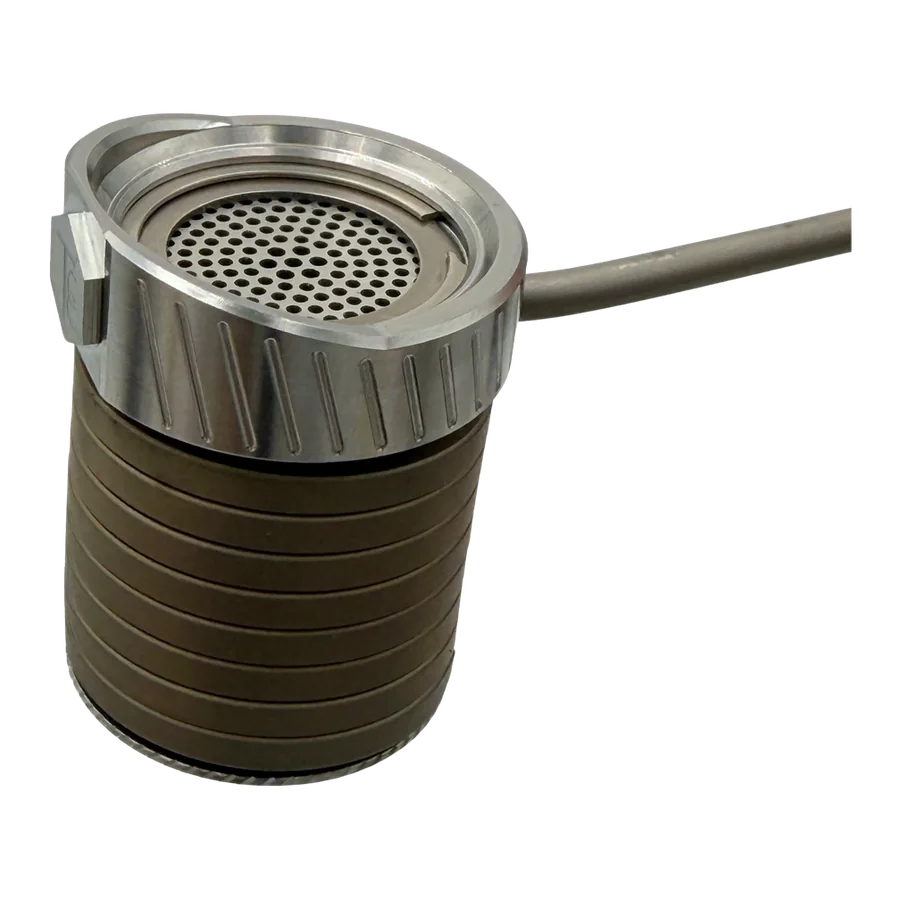
Wired heater head
Wired metal
Step by step
Quartz setup (wireless)
How to fit the Ultra High Airflow quartz into the V3 housing. The manufacturer video shows every step.
- Place the aluminium funnel on the UHA quartz insert and fill in the ruby balls. According to TCC, about 500 are enough for the UHA insert.
- Lay the UHA disc on top.
- Slide the filled insert into the titanium inner chamber.
- Fit the inner chamber, lid and wireless adapter together, place the flat titanium ring on top and press the spiral retaining ring into its groove. The video shows the order.
- Screw the handle into the side, hand-tight only.
Step by step
Metal mode
In metal mode, two screens replace the quartz. Switch off, unplug and let everything cool first.
- Lift the spiral retaining ring out of its groove with a pointed tool and take out the quartz assembly.
- Place one SS316 screen in the inner chamber and fill in the ruby balls.
- Lay the second screen on top, then refit the titanium ring and the retaining ring. You will have ruby balls left over; that is normal.
Step by step
Wireless or wired
To switch, you swap the adapter under the lid. Here too: switch off, unplug and let it cool first.
- Loosen the hex screw on the docking station and take out the coil.
- Swap the wireless adapter for the wired adapter and fit the coil onto the head.
- Put the head with the coil back on the station. To return to wireless, reverse the steps.
Temperatures
Manufacturer guide values.
TCC gives the same ranges for V2 and V3. Because of manufacturing tolerances in the quartz, each device may differ slightly.
Wireless
254–321 °C
490–610 °F
Wired
204–299 °C
400–570 °F
- A heat soak of 15–45 seconds after heating up improves performance.
- Once the ruby balls have darkened, the head is ready.
Care and disassembly
Let it cool, then open it.
- Switch off the PID controller, unplug it and let all parts cool completely before opening or cleaning anything.
- Never grip the threads. Release the retaining ring with a pointed tool, not with pliers on the housing.
- A bluish sheen on the titanium is the normal oxide layer, not a defect.
- Keep electrical parts dry and handle quartz and glass with care.
Is something stuck?
Don't try pliers, leverage or extra heat. Send us a photo and we'll work out the right approach with you.
How it works
The airflow path in the quartz setup.
Air is heated by the ruby balls inside the heater, passes through the UHA disc and then through the material in the separate bowl before reaching the bubbler.
Personal support
Questions about your parts?
We can help you choose a configuration or identify replacement parts. Tell us your kit version or send a photo.
Or email info@ballvapeshop.de